
Bulk-summarize a whole playlist, channel or search results in one click. Then ask questions across every video and get a cited research report — in 20+ languages.
Free to try · No credit card to start · Cancel anytime
TubeCrunch lives right inside YouTube — select, summarize, and ask questions across a whole channel without leaving the page.
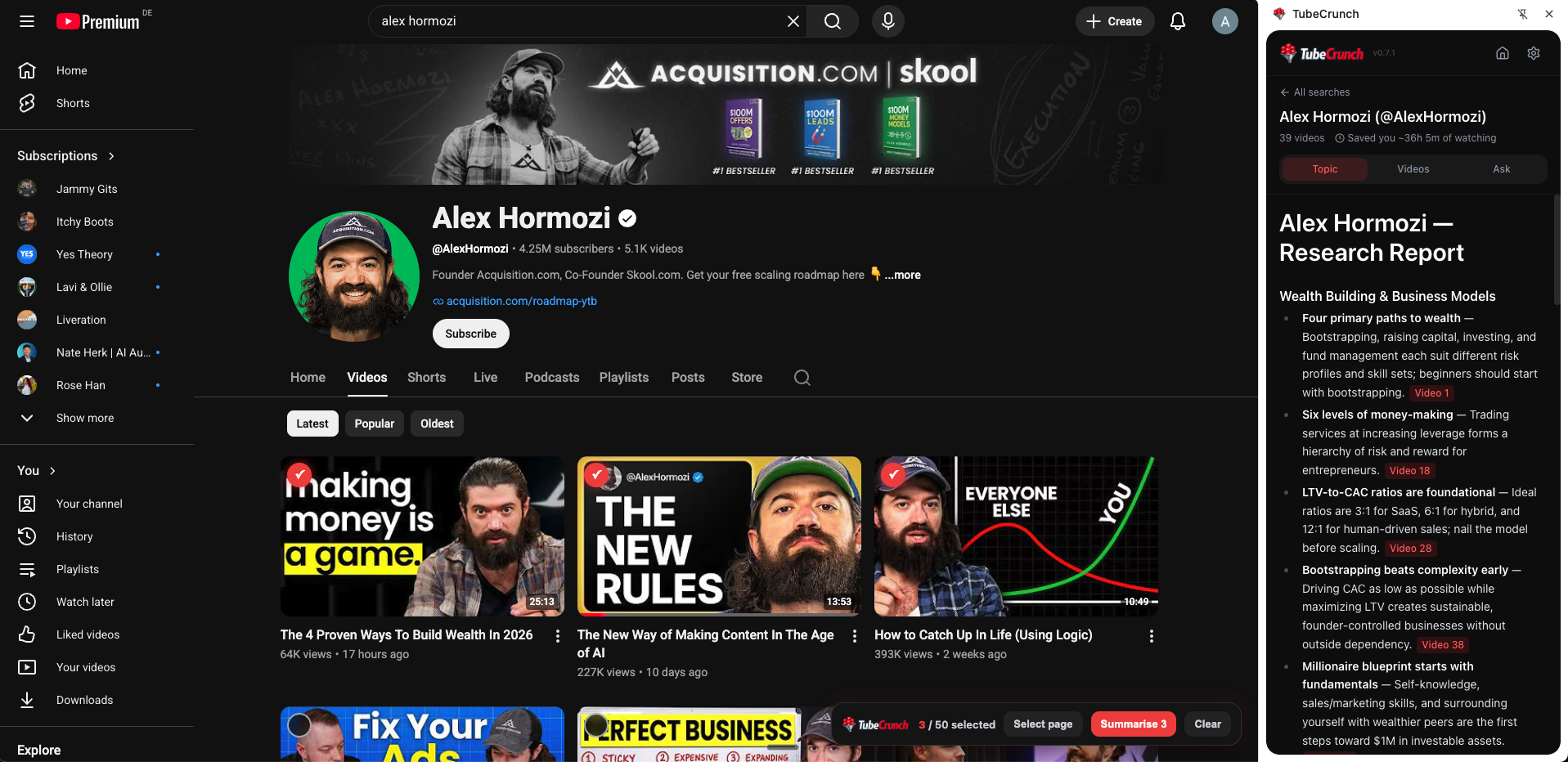
Most summarizers handle a single video. TubeCrunch is built to crunch a whole backlog.
Select videos from any playlist, channel or search results page and summarize them all at once — across multiple pages.
Ask one question and get a single answer pulled from all the videos you selected, with citations back to the source.
Turn a whole playlist or channel into one organized, cited report on the key themes and takeaways.
Read summaries in the language you think in. Watch in one language, summarize in another.
Or a search results page — or any single video.
Tick the ones you want, or hit “Select all.”
TubeCrunch crunches the whole batch and does the watching for you.
One playlist of 39 videos — here's what TubeCrunch hands back to you.
No surprise charges. Cancel in one click.
Free forever
Available in the extension
or $5/month on an annual plan — save 37%
Upgrade inside the extension
Prices in USD · You choose your plan inside the extension · Cancel anytime.
Yes. Select the videos on the page — or hit “Select all” — and TubeCrunch summarizes the whole batch at once, across multiple pages.
Of course. One click on any video gives you an instant summary — in 20+ languages.
Extension search collections, summaries, transcripts, Q&A, and local history are stored locally in Chrome/IndexedDB on your device. Supabase is used for auth/account identity, subscription/usage/account services, and secure backend access. Video/transcript content may be sent to our hosted backend/AI providers to generate summaries, but extension history is not all stored in Supabase. Local extension data is device-specific and may be removed by uninstalling TubeCrunch or clearing extension storage. See our Privacy Policy.
Anytime, in one click, from your account — no emails, no hoops. See our Terms.
Summarize your whole Watch Later — or any playlist — in the next five minutes.
Add to Chrome — Free